
Skip to content
Use cases

Real screens. Real locations.

See how teams in aviation, banking and hospitality keep every screen useful: updated remotely, scheduled ahead, and still playing when the connection drops.

/01 · Aviation · VIP services

A private terminal where every screen reaches a VIP audience

The situation

A private airport terminal serves VIP travellers away from the main terminal, with its own lounge, meeting room and concierge. Its screens reach a small, high-value audience, which makes them valuable ad space, but only if every ad plays on time and nothing looks out of place in a premium setting.

Airport lounge screen advertising a new fragrance collection

On the screens

  • Advertising from partner brands in a scheduled rotation
  • Campaigns that run on the dates agreed with each advertiser
  • Full-screen video and image ads
  • New ads added remotely, without entering the lounge

How digitab fits

Staff upload new ads from the dashboard and set each campaign's start and end dates, so ads rotate automatically and expire on time. Updates reach the screens without anyone entering the lounge, and offline playback keeps ads running through connection drops.

In the dashboard

  1. 1
    Upload the partner's ad
  2. 2
    Set the campaign dates
  3. 3
    Add it to the rotation
  4. 4
    Publish to the lounge screens

The result

Every ad runs when it should and looks at home in a premium space, and changes take minutes instead of a visit.

/02 · Banking · Branch networks

Branch screens that stay current without a single site visit

The situation

Banks need product campaigns, rates and notices on every branch screen, while each branch keeps its own hours and holiday closures. Without a central platform, updates depend on IT visits or files sent to branch staff.

Banking screen promoting home loans

On the screens

  • Product campaigns for loans, cards and savings, targeted by region
  • Exchange rates and live data in the waiting area
  • Branch-specific hours, holiday closures and service information
  • Internal notices and procedures on staff-area screens

How digitab fits

Head office publishes to the whole network, a region or a single branch. Campaigns start and stop on schedule, and cached content keeps screens live if a branch loses its connection.

In the dashboard

  1. 1
    Create the campaign once
  2. 2
    Choose branches or regions
  3. 3
    Set start and end dates
  4. 4
    Publish to the network

The result

Marketing controls every branch screen, and branch staff never have to handle a file.

/03 · Hospitality · Restaurant chains

TVs that work all day, not just on match day

The situation

Bars and restaurants already have TVs on the wall, but most of the time they only come alive for a match. The rest of the day they sit on a random channel or switch off, when they could be informing guests, promoting the venue and bringing in extra income.

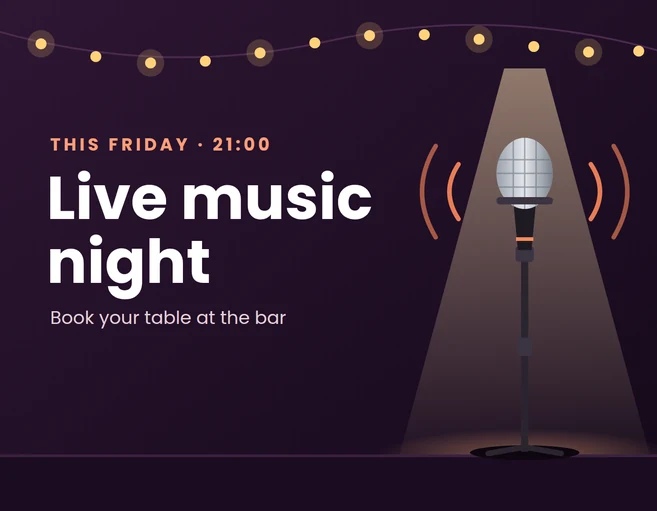
Bar screen promoting a live music night

On the screens

  • Weather forecast and useful local information for guests
  • The venue's own promotions, offers and happy hours
  • Upcoming events: live music, match nights and themed evenings
  • Paid advertising from other businesses, in a scheduled rotation
  • Live TV for the big match, then back to the rotation

How digitab fits

Live TV and the venue's own content share the same screens: schedules switch to the match when it starts and back to promotions afterwards. Ads from partner businesses run on the dates agreed with each advertiser, and location groups let each venue show its own offers and events under one brand.

In the dashboard

  1. 1
    Add weather and your offers
  2. 2
    Schedule the match on live TV
  3. 3
    Add partner ads with their dates
  4. 4
    Choose which venues show it

The result

The TVs are no longer just for the match: they keep guests informed, fill tables for the next event, and turn screen time into advertising income.

Start simple. Scale when ready.

Put your screens to work.

Start with the screens you already have and bring your first campaign live with a guided digitab setup.